Features
Everything VellaMotion does.
Four kinds of shot in the app, and a panel that brings them to your Premiere timeline. Each says the plan it comes in.
Four kinds of shot.
Open a picture, pick the kind of shot it is made for, and export it as a video, or send it to Premiere.
 EXPORTED CLIP
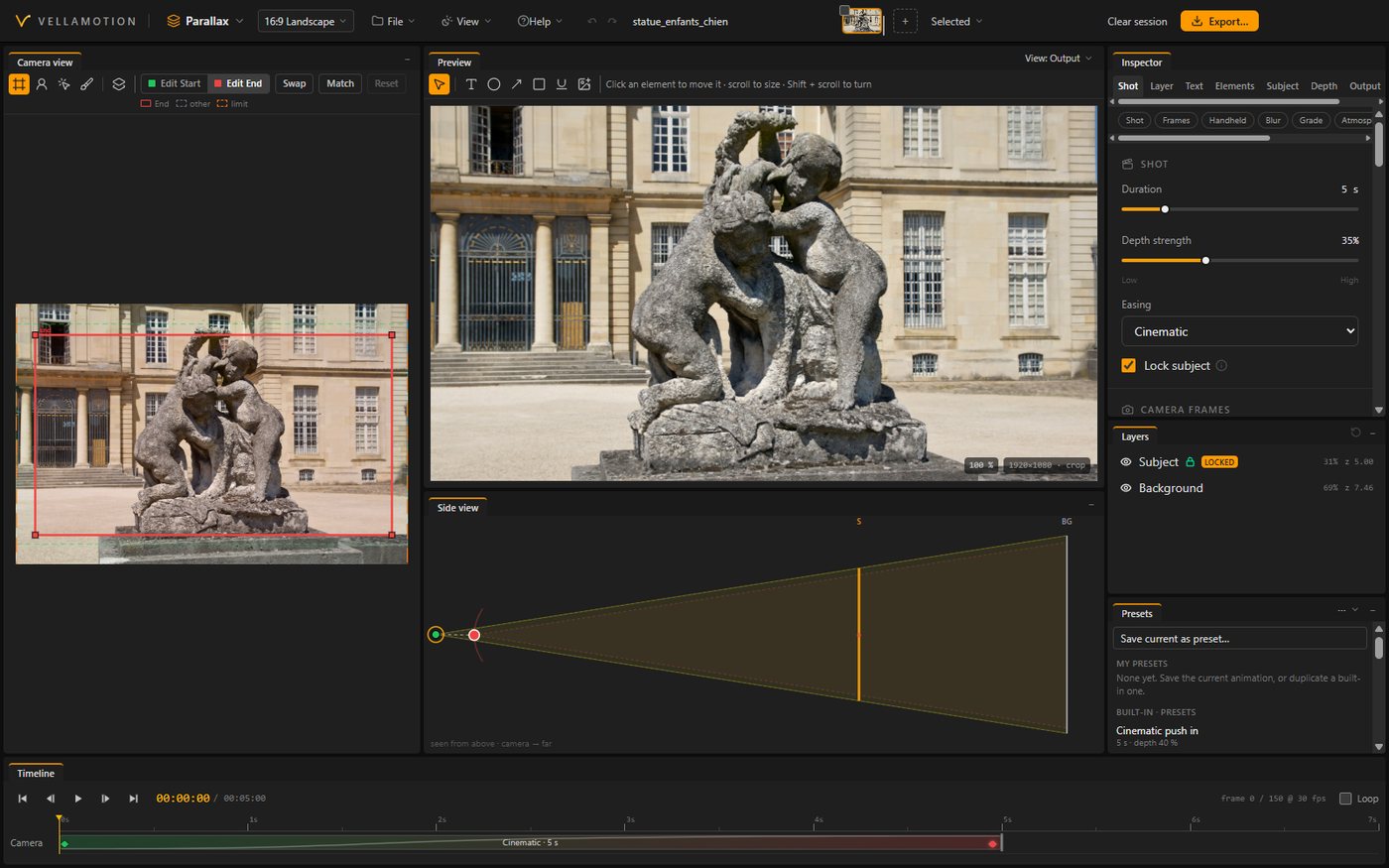
Parallax Free
- The photo in layers: the subject cut out, the space behind it filled in
- Push in, pan, drift and pull out, or move the camera yourself
- Labels, arrows and underlines on the picture
 EXPORTED CLIP
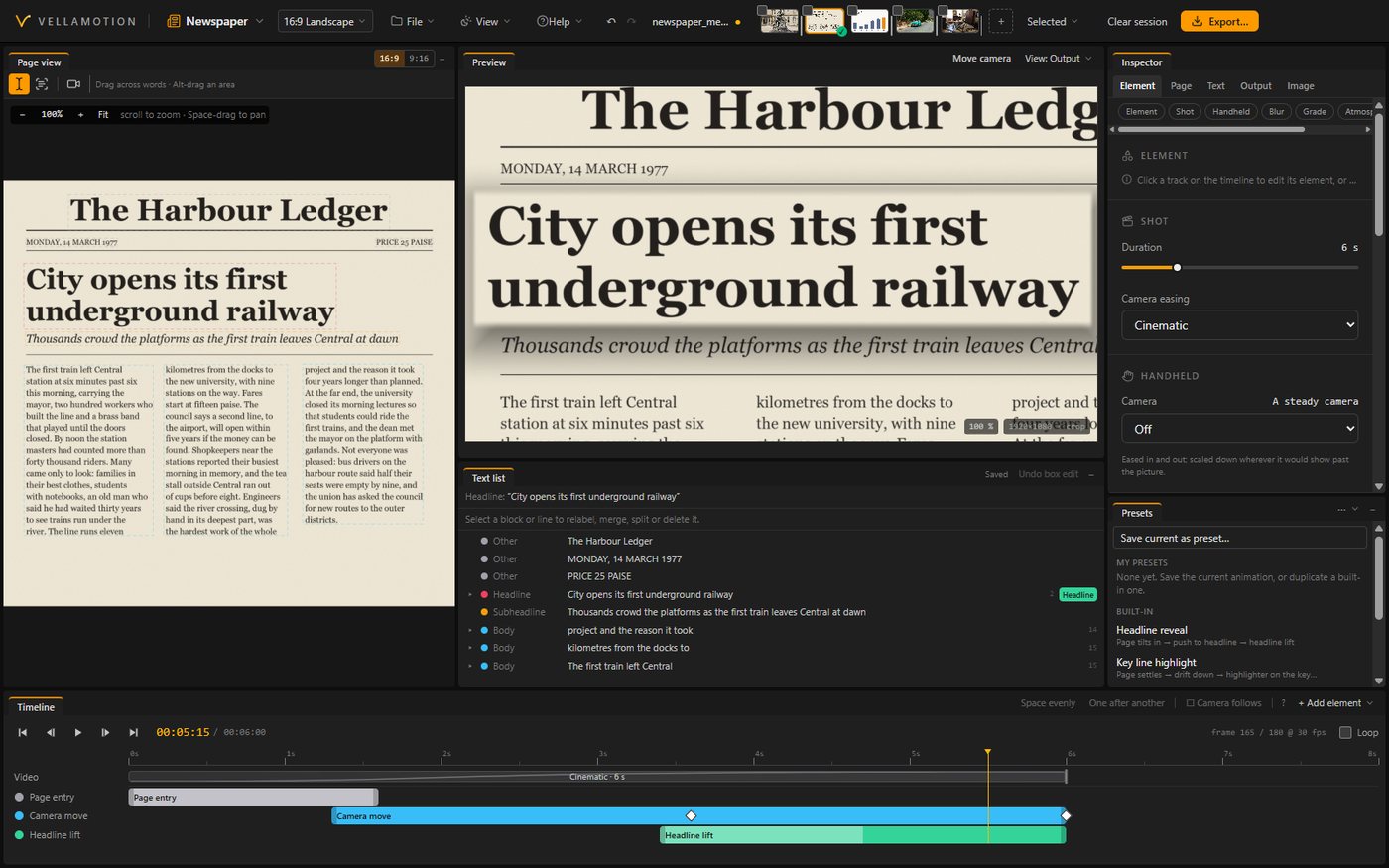
Newspaper Pro
- Finds the text on a scan, a screenshot or a photo of a page
- The camera reads along, following the headline
- Highlights, underlines, circles and callouts as it reads
 EXPORTED CLIP
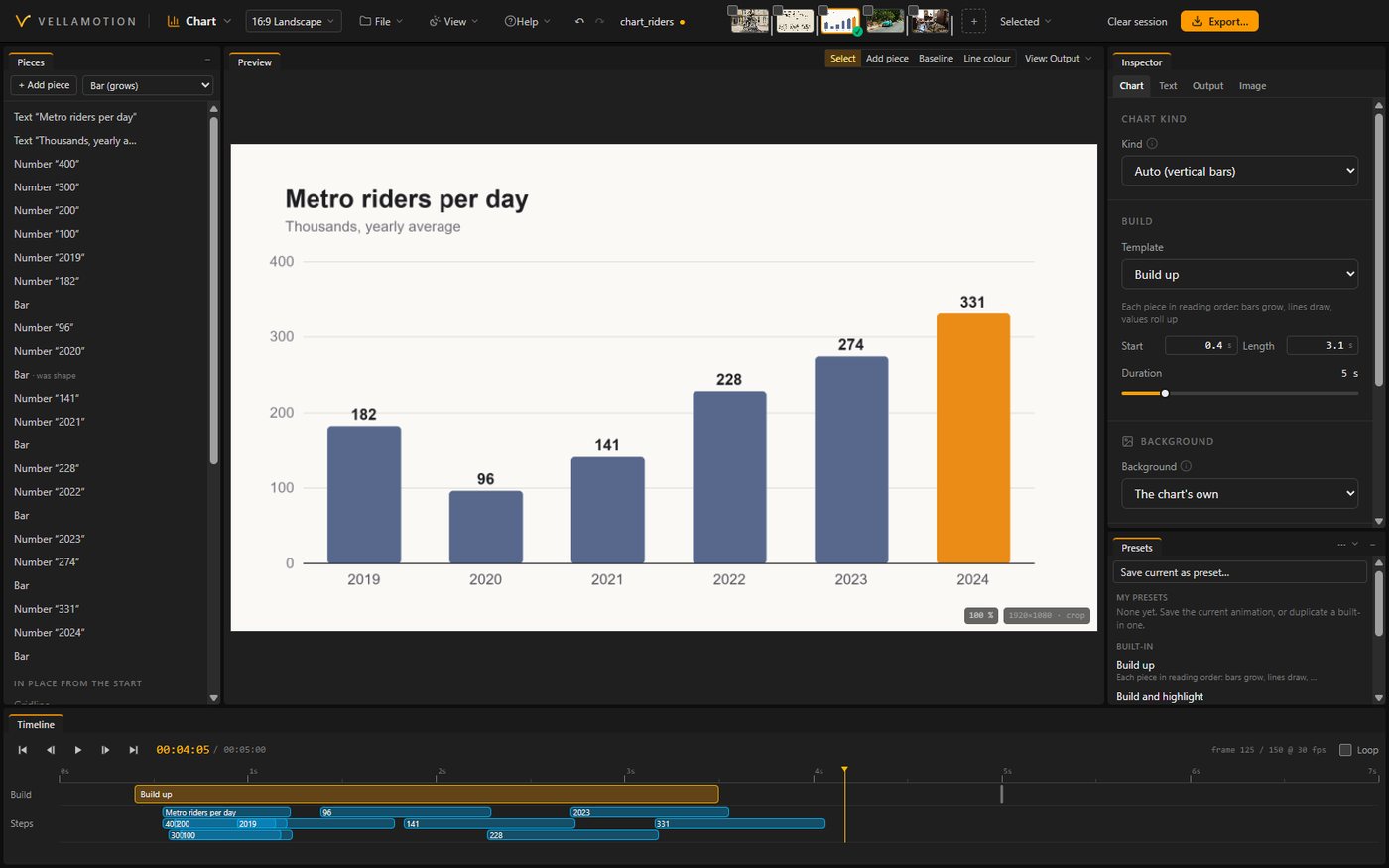
Chart Pro
- Every bar, number and label found as a piece of the chart
- Bars rise, lines draw, slices sweep in, in reading order
- The number that matters lit up
 EXPORTED CLIP
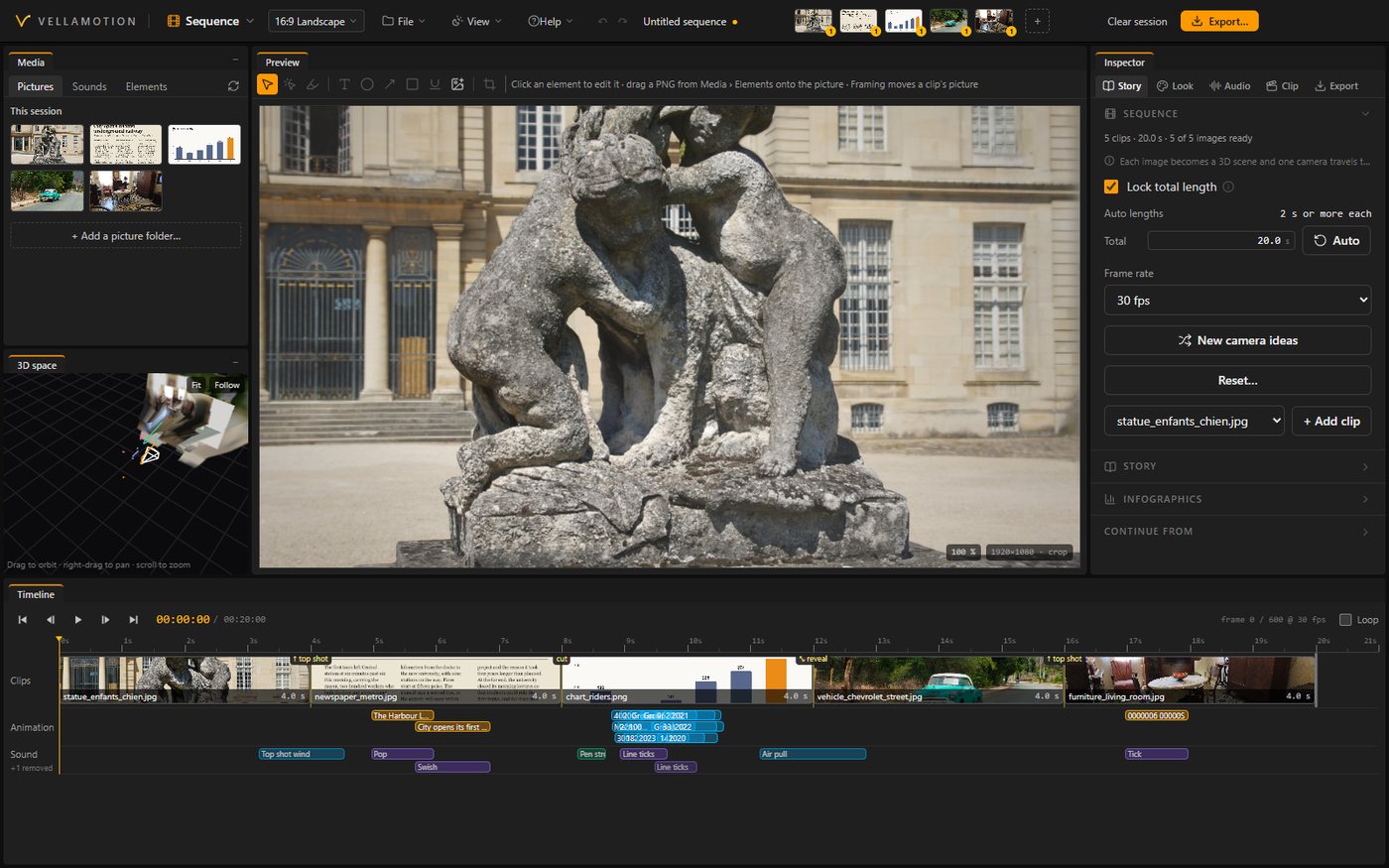
Sequence Subscription · Beta
- Several pictures become one 3D world, one camera travelling through it
- Cinematic transitions: ink spread, light leak, glitch, smoke, match cut
- In time with the music and the voice-over
In Premiere, on your timeline.
The panel drives the same app from Premiere Pro: select a clip, choose, and the result lands on your timeline.
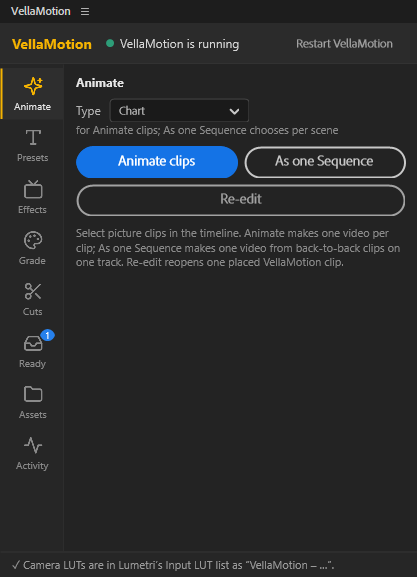
Animate and Place Free
- Select a still, click Animate: the shot lands right above it
- Place exported clips on the timeline in one step
- Re-edit a shot later in the app
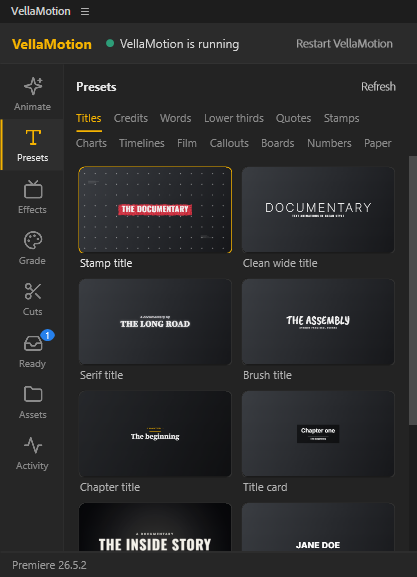
Presets and effects Free: three Pro: all
- Titles, lower thirds and quotes; three of them in Free
- Animated charts and timelines, paper, screens and TV sets, ink, Ken Burns
- Edited in VellaMotion, placed back on the timeline
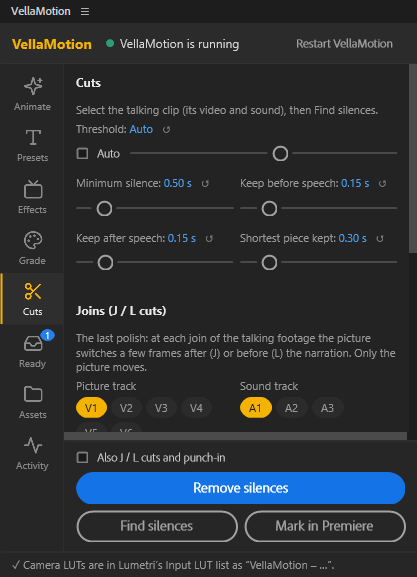
Cuts Pro
- Silence removal at your threshold, in place or as a new sequence
- J and L cuts, so the joins feel natural
- Retakes and filler words found from the words spoken Subscription · Beta
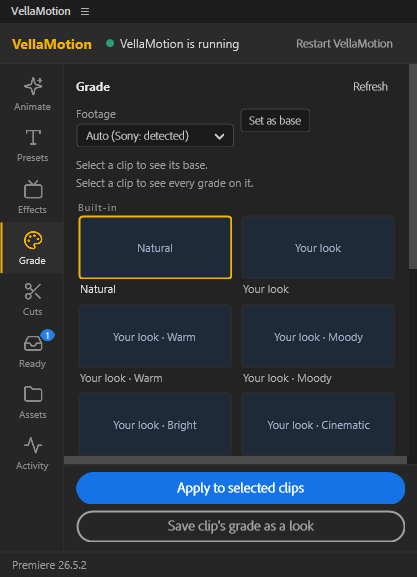
Grade Subscription · Beta
- Log footage from eight camera brands to normal colour
- Every look previewed on your own frame
- White balance and exposure read from the face
BETA Beta features work and keep improving while you use them; they join Pro in the next version.
Compare plans
Every plan starts with the same 7-day free trial, every feature included.
| Feature | Free | Pro | Subscription |
|---|---|---|---|
| Workspaces | |||
| Parallax | ✓ | ✓ | ✓ |
| Newspaper | — | ✓ | ✓ |
| Chart | — | ✓ | ✓ |
| Sequence (beta) | — | — | ✓ |
| Export | |||
| Every frame shape, batch export and re-editing | ✓ | ✓ | ✓ |
| Resolution | Up to 720p | Up to 4K | Up to 4K |
| ProRes, also export as | — | ✓ | ✓ |
| Premiere panel | |||
| Animate, place and re-edit | ✓ | ✓ | ✓ |
| Text presets: titles, lower thirds and quotes | Three | ✓ | ✓ |
| Every preset: charts, timelines, paper, trailer titles | — | ✓ | ✓ |
| Effects: TV looks, screens, ink, TV sets, Ken Burns | — | ✓ | ✓ |
| Cuts: silence removal | — | ✓ | ✓ |
| Cuts: J and L cuts | — | ✓ | ✓ |
| Cuts: retakes and filler words (beta) | — | — | ✓ |
| Grade (beta) | — | — | ✓ |
| As one Sequence | — | — | ✓ |
| Updates | |||
| Updates | Fixes | Fixes for the version you buy | Every new version |
| Beta features | — | — | ✓ |
| Support | Help pages | Priority | |
| Computers | Any | 3 | 5 |